 Get Listed


Published: 11th October 2026 | Author: David Paul Edwards | Reading Time: 8 minutes
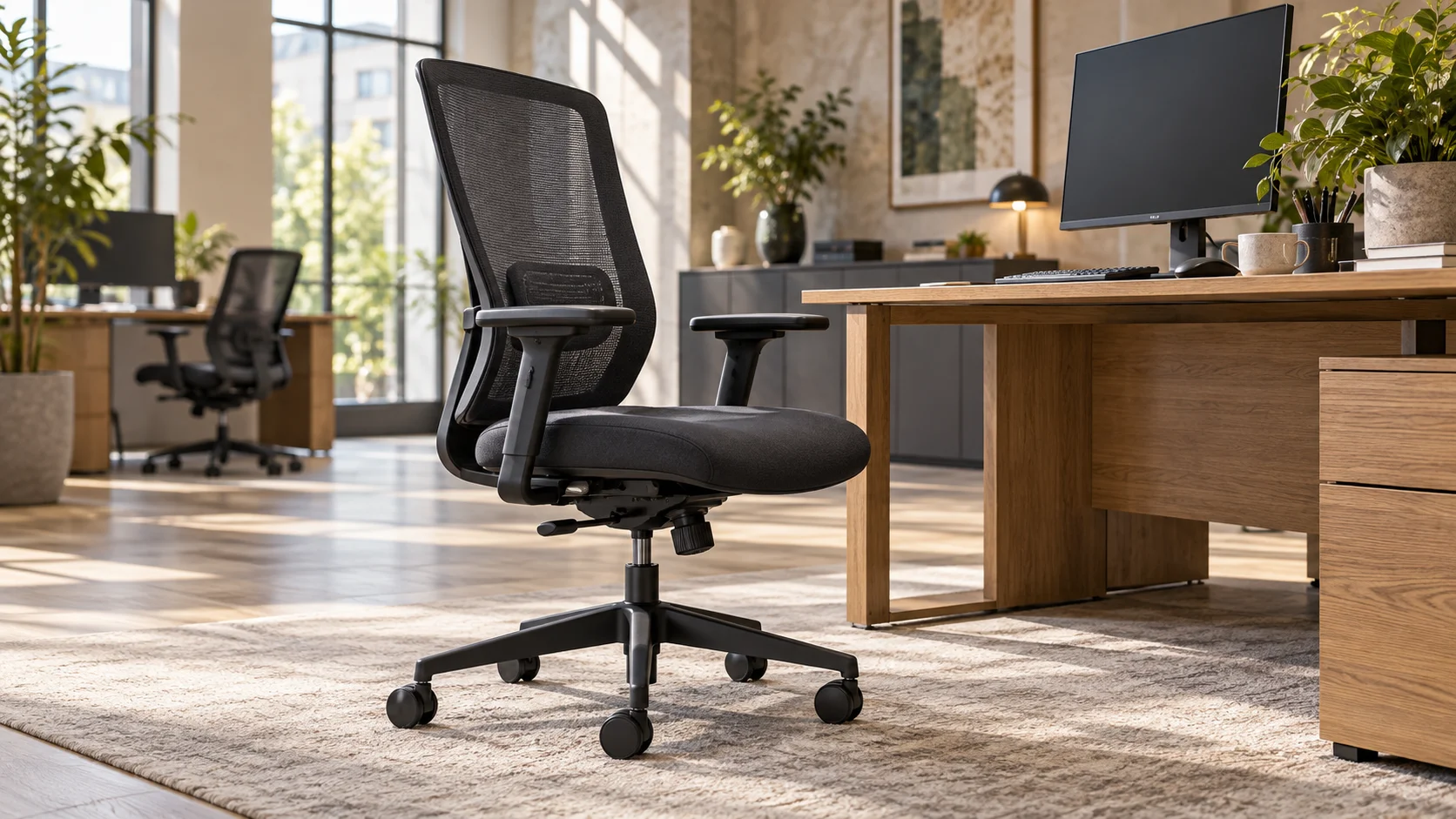
Ergonomic office chairs should make it easier to find a comfortable working position and adjust it as the day changes. Whether you are buying for a home office, replacing one tired chair or furnishing a whole team, the best starting point is the person who will use it.
A chair can look impressive and still feel wrong at your desk. The seat may be too deep, the arms may keep you away from the keyboard, or the back support may sit in the wrong place. Those details matter far more than a familiar brand name.
At Second User Furniture, our operator and task chairs include used commercial seating with different materials, controls and adjustment options. Choosing between them starts with understanding what you need from an everyday workstation.
Choosing Ergonomic Office Chairs for Everyday Work
Think about a normal working day before comparing individual models. Someone moving between calls and meetings may use a chair differently from a colleague working through detailed spreadsheets for several hours.
Your height, leg length, desk height and preferred way of sitting all affect the fit. A shared workstation adds another requirement: several people must be able to reset the chair without a lengthy lesson in its controls.
Comfort also changes over time. A soft seat that feels inviting for a few minutes may offer less useful support during a longer task. Equally, a supportive chair can feel unfamiliar until you have adjusted it properly.
The aim is to find a chair that fits your body, works with your desk and lets you change position comfortably.
Ergonomic Office Chairs at a Glance
Seat height: should suit the work surface while allowing your feet to rest on the floor or a suitable footrest.
Seat depth: should support your thighs without pressing into the backs of your knees.
Lower back support: should meet your back comfortably when you sit against the backrest.
Armrests: should support relaxed shoulders and allow you to sit close enough to the desk.
Recline: should feel controlled and allow comfortable changes of position.
Materials and controls: should suit your preferences and be practical for everyday use.
Use these points as a fitting checklist. A long list of features is only useful when the adjustments actually work for you.
Start with Seat Height and Depth
Seat height is often the first control people try, but height and depth need to work together.
Set the height so you can use the keyboard with your shoulders relaxed. If your feet no longer rest comfortably on the floor, a suitable footrest may help. Simply lowering the chair can leave you reaching upwards towards a desk that is too high.
Next, sit back and check the front edge of the seat. Your thighs should feel supported, with a small gap behind your knees. The Health and Safety Executive’s posture guidance illustrates a gap of 2–3 cm as part of a standard workstation setup.
A seat slide allows you to change the seat depth without giving up contact with the backrest. This can be particularly helpful when people with different leg lengths share the same chair.
If the seat feels too long even at its shortest setting, try a different model. An adjustable chair still has a limited fitting range.
Look Closely at Lower Back Support
Lumbar support should feel comfortably positioned around your lower back. It should not force you into an exaggerated arch or create a hard pressure point.
Some ergonomic office chairs have a separate adjustable lumbar pad. Others use the shape or flexibility of the backrest to provide support. Neither approach suits everyone automatically, so the important test is how the chair feels when you sit back.
Check whether the support can move to a useful position for your height. Also notice what happens as you recline: you should be able to change position without feeling that the backrest has lost contact completely.
If you keep perching on the front of the seat, pause and check the setup. Seat depth, desk distance or the position of the back support may need attention.
Check the Arms Against Your Desk
Armrests can be helpful, but poorly positioned arms can make an otherwise suitable chair frustrating to use.
Rest your forearms lightly and check that your shoulders remain relaxed. Arms that are too high may make you shrug, while widely spaced arms can leave you reaching outwards.
Look at the adjustments on the actual chair. Height, width, rotation and sliding pads are different functions. Labels such as “3D” describe a combination of movements, so ask which adjustments are included rather than relying on the label alone.
Then move towards the desk. The arms should not stop you bringing the keyboard and mouse within comfortable reach. Fixed arms can work well where the fit is right, but give you fewer options when the desk height changes.
For the other half of the workstation, our guide to choosing the right office desk covers surface space, layout and the relationship between desks and seating.
Understand How Ergonomic Office Chairs Recline
A useful recline should allow movement without making the chair feel unstable or difficult to control.
On chairs with manual tension adjustment, try a setting that allows you to lean back comfortably without having to push hard. A tilt limiter or lock may help you choose the amount of movement available.
Other mechanisms respond to the user’s weight, reducing the need to adjust tension manually. You may still need to set seat height, depth, arms and back support.
When trying a chair, ask someone to show you the controls. Operate each one yourself, return to a working position and check that the settings stay where you expect.
For shared desks, simple controls can be a real advantage. However, easy operation should still come with enough adjustment for the people using the workstation.
Mesh or Upholstered Ergonomic Office Chairs?
Mesh backs create an open feel, while upholstered seats provide a more cushioned surface. Many task chairs combine the two rather than using one material throughout.
A full mesh seat feels different from a foam seat. Pay attention to the front edge and surrounding frame, especially when comparing chairs for longer periods of desk work.
With an upholstered seat, check that the cushioning feels even and supportive. Inspect the fabric as well as the padding, particularly on used seating.
Materials are a personal choice, so compare them alongside fit and adjustment. A breathable back is useful, but it cannot make up for a seat that is the wrong size.
Four Featured Chairs from Our Current Range
These four ergonomic office chairs were in stock when this article was prepared on 11th October 2026. They illustrate different approaches to everyday task seating. Availability changes, so check each live product page for current quantities and the specification of the chair offered.
Herman Miller Graphite Mirra 1
The Herman Miller Graphite Mirra 1 combines a TriFlex back with adjustable arms and fully adjustable lumbar support.
This listing also specifies forward and rear tilt, plus an adjustable seat base with a waterfall front. Those features give you several areas to explore when checking seat fit, back support and movement.
Try the seat adjustment and lumbar controls together rather than setting each in isolation. A familiar model name is a useful starting point, but the way this particular chair fits you should guide the decision.
Ergohuman Mesh Operator Chairs
The Ergohuman Mesh Operator Chairs offer mesh seats and backs, adjustable lumbar support and seat depth adjustment.
The live specification lists height- and width-adjustable arms, a synchronised mechanism, recline tilt limiter and tension control. A polished chrome base completes the chair.
This is a useful option to compare if you want to try a full mesh sitting surface alongside adjustable back support. Check the seat feel and the range of the arms during a fitting, then adjust the recline to a comfortable level.
Elite Vida Mesh Back Chairs
The Elite Vida Mesh Back Chairs combine black mesh backs with blue CMHR moulded seats and 3D armrests.
The listing confirms height-adjustable lumbar support, a weight-responsive self-adjusting synchronised mechanism and anti-shock tilt locking. Seat depth can be adjusted through a 50 mm sliding range, and the chairs have black five-star bases.
They offer a different seat feel from a full mesh model. Compare the available depth range with your leg length, then check how comfortably the mechanism follows your movement.
Connection Mesh Back Operator Chairs
The Connection Mesh Back Operator Chairs have black mesh backs, black upholstered seats, height adjustment, tilt lock and seat slides.
The arms are fixed, with sliding armpads. That distinction matters: moving the pads does not provide the same adjustment as changing the arm height.
This chair gives you a practical comparison when deciding which controls you need. Test the fixed arms against your own desk and check the seat slide before buying. If the arm position does not suit you, a model with height-adjustable arms may offer a better fit.
Set Up the Whole Workstation
Even a carefully chosen chair can feel uncomfortable if the rest of the workstation makes you lean, twist or reach.
Keep the screen and keyboard in front of you, with the mouse close enough to use without stretching. Check that drawers, storage and cables leave room for your legs and feet.
If you use a laptop for prolonged work, consider a separate keyboard and mouse so you can raise the screen independently. This lets you adjust the viewing position without lifting the keyboard out of comfortable reach.
For businesses, the chair belongs within the wider workstation assessment. The HSE’s DSE assessment guidance covers furniture, equipment, the work being done and individual requirements. It also identifies changes to workstations and reports of discomfort as reasons to review the assessment.
Our office desks and sit-stand desks provide options for planning the complete workspace. Check seated fit carefully even if you also intend to work standing.
All-Day Comfort Includes Changes of Position
Choosing ergonomic office chairs for all-day comfort does not mean planning to sit without a break.
Build changes of activity into the day. Getting up for a discussion, walking to another part of the office or taking a short break from screen work can help vary a repetitive routine.
The HSE’s guidance on work routines and breaks favours short, frequent breaks over longer, less frequent ones. It also explains that breaks or activity changes should provide opportunities to move, stretch or change posture.
A chair should support those changes comfortably when you return to the desk. If discomfort continues, review the workstation and raise it through the appropriate workplace support rather than repeatedly buying different chairs.
What to Check When Buying Used Ergonomic Office Chairs
Used commercial seating can make a wider range of chair features available within your budget. The important step is to check the condition and configuration of the chair being sold.
Inspect the seat, back, arms, base and castors. Ask about the working controls, and look closely at photographs for fabric wear or damage. Product families can include different arm, lumbar and tilt options, so avoid assuming every example has the same specification.
Also confirm delivery arrangements and costs before ordering. For several workstations, check the available quantity and whether all the chairs have the configuration you need.
Reuse keeps serviceable furniture working for longer. For a wider office project, our guide to furnishing an office with second hand furniture explains how seating can sit alongside desks, storage and meeting furniture.
You can arrange a visit to our High Wycombe showroom by appointment to compare available chairs and discuss your requirements with the team.
Frequently Asked Questions
What should I look for in ergonomic office chairs?
Start with a seat that fits your height and leg length, comfortable lower back support, suitable arms and a recline you can control. Check the adjustments at your desk where possible. The right combination depends on the user and workstation.
Is a mesh chair better than an upholstered chair?
Neither material is automatically better for everyone. Mesh and upholstery feel different, and many chairs combine a mesh back with an upholstered seat. Compare seat support, edge pressure and fit alongside the material.
Can I buy a used chair for a full working day?
Yes, provided the chair is in suitable condition, its controls work and it fits the user and workstation. Check the exact specification and try the chair where possible. Comfortable daily use also involves appropriate setup and regular changes of activity.
Ready to Find a Chair That Fits?
The right ergonomic office chairs should feel comfortable at your workstation and give you useful control over how you sit. Start with fit, try the adjustments and compare the actual specifications before deciding.
Whether you are choosing one chair or planning seating for a team, our stock changes as used commercial furniture arrives and sells.
For more information on Ergonomic Office Chairs: How to Choose the Right Chair for All-Day Comfort talk to Second User Furniture